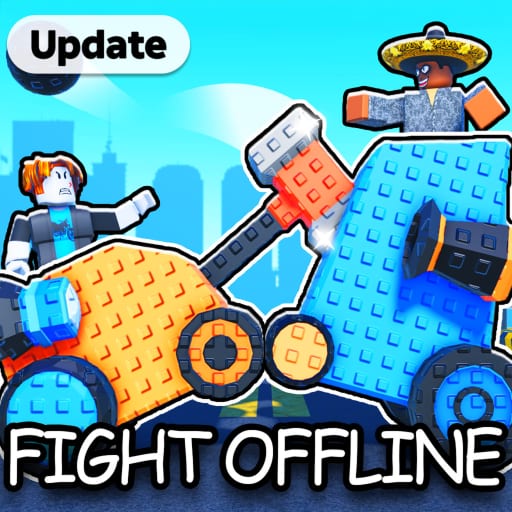
How to Play Crash Bots
Your first-hour roadmap from tutorial to a bot that can win offline clashes.
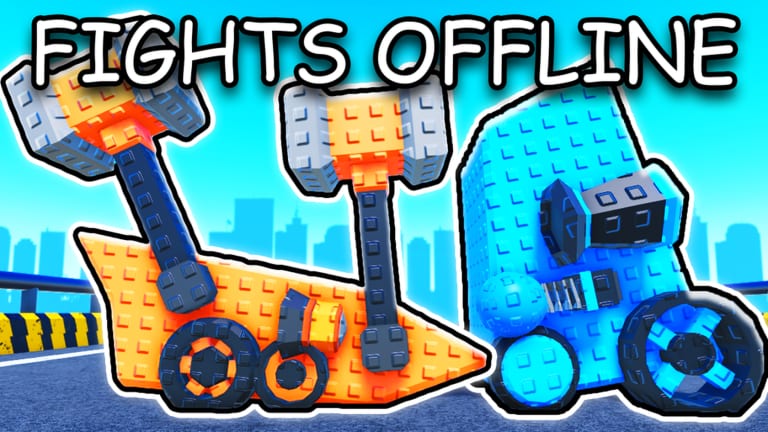
Crash Bots drops you into a workshop with one job: assemble a fighting robot, send it into the arena, and turn every win into better parts. The fantasy is BattleBots energy wrapped in a Roblox progression loop inspired by CATS: Crash Arena Turbo Stars. This how-to-play guide covers the first session without spoiling discovery — just the mistakes that cost Gems.
What you do in Crash Bots
You collect parts from crates, bolt them onto a chassis, summon drivers with powers, fight NPC or player bots, and reinvest Scraps, Gems, and Shards. Offline battles keep the loop moving when lobbies are quiet. Clans add a social layer later — ignore them until your bot is complete.
First 30 minutes checklist
- Finish the tutorial prompts so Shop and battle flows unlock.
- Redeem everything on the Crash Bots codes page using How to Redeem.
- Open cheap Scrap crates until every major slot is filled — see Crates.
- Equip the highest-star parts you own even if they look ugly; stats beat cosmetics.
- Summon or equip a starter driver using advice from Drivers.
- Run several battles, then rebuild using How to Build.
Lobby systems worth clicking
Shop holds codes and purchases. Garage/workshop is where builds live. Battle queues include PvE-style clashes and PvP when players are available. Summon panels spend Gems on drivers. If a button seems missing, rejoin — UI softlocks happen.
Early mistakes to avoid
Do not blow Gems on premium crates before your bot has full slots. Do not ignore drivers because parts feel more real. Do not chase every cosmetic. Do not trust expired code screenshots. Do not buy every game pass on day one — read Game Passes first.
How progression feels after the tutorial
Wins pay Scraps and experience. Better parts raise win rate, which raises income, which funds better crates. Drivers multiply whatever chassis you already have. That is why completeness beats a single legendary weapon on an empty frame.
Where to go next
After one solid hour, open How to Win, skim the parts tier list, and bookmark updates. If you like planning first, try the build planner.
Cross-check progress with the Crash Bots codes list, the guides hub, tier lists, items encyclopedia, tools, scripts hub, updates, review, and official links.
Session checklist for this topic
Before you close the game, apply one change from this page, fight three matches, and note whether the outcome improved. Crash Bots teaches faster through short feedback loops than through reading alone. Keep the codes hub and updates hub nearby whenever a patch week hits.
Topic focus: How to Play Crash Bots on Roblox.
Related systems to reopen
If this page changed how you spend currency, reread Currencies and Crates. If it changed your garage layout, cross-check How to Build and the builds tier list. If fights still feel unfair, use How to Win after the rebuild.
Topic focus: How to Play Crash Bots on Roblox.
Keep expectations grounded
Crash Bots is a free Roblox experience with optional passes. No single page replaces practice in the arena. Use this article as a decision filter, then prove the idea in offline battles before you commit Shards. Bookmark official links for developer-side truth when guides disagree with a patch note.
Topic focus: How to Play Crash Bots on Roblox.
Frequently Asked Questions
Quick answers players ask most about Crash Bots.
Is Crash Bots free to play?
Yes. Optional Robux purchases exist, but codes, battles, and Scrap crates are enough to build a competitive bot.
What should I do first in Crash Bots?
Finish the tutorial, redeem codes, fill every part slot with Scrap crate drops, then learn drivers and builds.
Can I play Crash Bots offline-style?
The game advertises offline battles, so you can keep progressing even when live opponents are scarce.